One of the questions I get surprisingly often from fellow graduate students, friends, and other people in academia is:
“How did you create your website?”
Usually, the next question is:
“Why do you even need a personal website?“
There is a common perception in academia that having a website is something you do much later in your career; perhaps after becoming a professor, starting a research group, and needing a lab website.
I disagree.
You do not need to be a professor to have an academic website.
You can create one as an undergraduate student, graduate student, Ph.D. researcher, postdoctoral researcher, or early-career professional. In fact, starting earlier can be useful because the website can grow alongside your academic career.
That is one of the reasons I created nirmalsarkar.com.
Your academic identity should not exist only inside your university
Most people in academia already have some kind of online presence.
You may have a university profile, Google Scholar page, LinkedIn account, ResearchGate profile, ORCID record, or laboratory webpage.
All of these are useful.
However, none of them gives you complete control over how you present yourself.
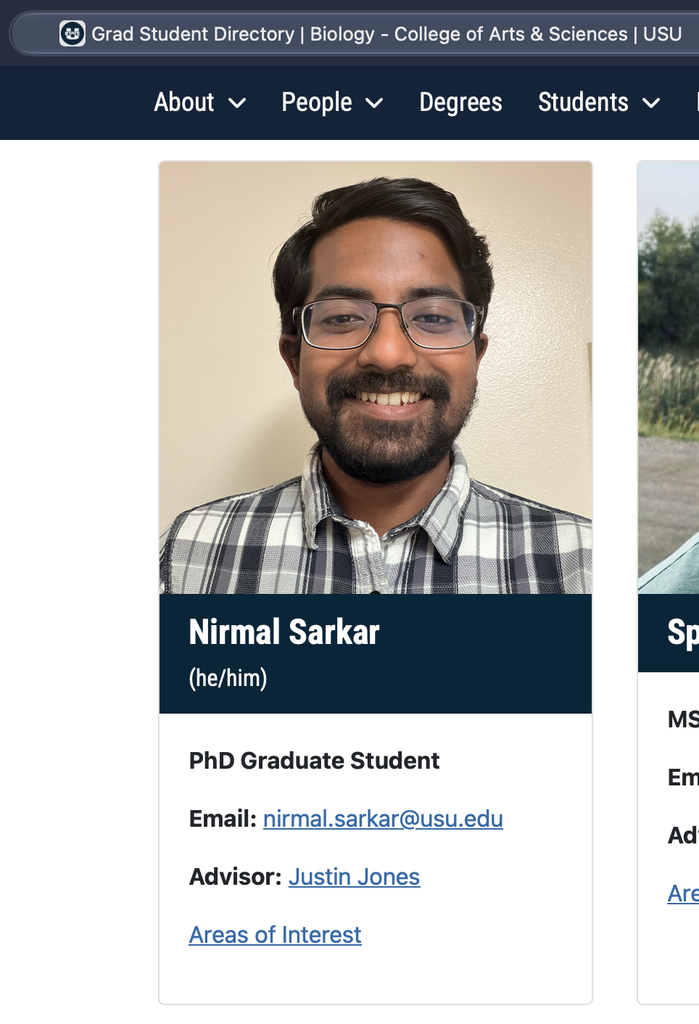
Your university profile may disappear when you graduate or move to another institution. Your lab website is primarily designed to represent the lab rather than you individually. LinkedIn follows its own format, while Google Scholar is primarily designed around publications and citations.
A personal website gives you one place that you control.
For example, your website can contain:
- a short biography
- your education
- research interests
- current and previous research projects
- publications
- your CV
- conference presentations
- teaching experience
- photographs
- awards and achievements
- useful resources you have created
- occasional blog posts about research, academia, or your field
More importantly, you decide how all of this information is organized.
If someone searches your name before meeting you, interviewing you, collaborating with you, or reviewing an application, your website can provide a concise overview of who you are academically.
Think of it as your academic home on the internet
I do not consider a personal website a replacement for Google Scholar, LinkedIn, ORCID, ResearchGate, or an institutional profile.
Instead, I think of it as a central hub connecting everything else.
Your homepage can briefly introduce you, while your research page explains what you actually work on. Your publications page can link to papers and Google Scholar. Your CV page can contain your current academic CV. Your contact page can direct people toward your professional email or institutional profile.
Everything becomes accessible from one simple address:
yourname.com
That is much easier to remember and share than several unrelated profile links.
It can also be useful on your:
- CV
- email signature
- conference poster
- presentation slides
- business card
- Google Scholar profile
- LinkedIn profile
- ORCID profile
- job applications
Over time, your website essentially becomes your academic landing page.
You can start much earlier than you think
Another misconception is that you need an impressive publication record before creating a website.
You do not.
An undergraduate student might create a simple website containing education, research experience, projects, skills, and a CV.
A graduate student could gradually add research projects, publications, teaching experience, conference presentations, and academic resources.
A postdoctoral researcher might expand this further with research themes, mentoring experience, collaborations, publications, and future research directions.
The website grows as your career grows.
Your first version does not need to look impressive. It simply needs to exist and provide useful information.
A website containing four pages:
Home | Research | CV | Contact
is perfectly reasonable.
You can always improve it later.
How difficult is it to create a website?
If you have never created a website before, words such as domain, hosting, WordPress, DNS, and SSL can make the process sound far more technical than it actually is.
For a basic personal academic website, you usually do not need to know programming.
You do not need to learn HTML, CSS, JavaScript, web servers, or database administration.
Modern website platforms handle most of that for you.
At the most basic level, you need to understand only three things:
Domain name: your website address, such as yourname.com.
Web hosting: the server where your website files are stored.
WordPress: the software you can use to create and manage the website.
Once these three pieces are connected, you can utilize them to create simple pages like the one you are currently reading.
However, the beauty of WordPress is that anytime you decide to go deeper and make a complex website or blog with a ton of features, you can do that too. It is that versatile.
The easiest option: a free WordPress.com website
If you simply want to experiment, you can start with a free website using WordPress.com.
You might receive an address that looks something like:
yourname.wordpress.com
You can choose a theme, create pages, write posts, upload photographs, and become familiar with WordPress without spending money.
For someone who is unsure whether they actually want a website, this is a perfectly reasonable way to start.
However, if you intend to use your website as a long-term professional or academic identity, I would strongly consider eventually using your own domain name.
Compare:
yourname.wordpress.com
with
yourname.com
The second one is cleaner, easier to remember, and looks much more like a permanent professional identity.
Why I prefer a self-hosted website
Another option, and the one I personally prefer, is running WordPress on your own web hosting account.
This is often called self-hosted WordPress or WordPress.org.
The concept is simple.
You purchase a domain name.
For example:
yourname.com
Then you purchase web hosting.
The hosting company provides the server where your website will live. Most mainstream hosting providers allow you to install WordPress automatically, often with only a few clicks.
After WordPress is installed, you log in to your WordPress dashboard and start building your website.
You can choose a theme, create pages, upload your CV, add photographs, publish articles, and customize the site over time.
The main advantage is control.
You are not building your professional identity entirely inside somebody else’s platform.
You control the website, the domain, the structure, and within the limits of your hosting plan, the functionality.
Domain name
For an academic portfolio, the simplest domain is usually your name.
For example:
firstnamelastname.com
If your preferred .com domain is available, that is usually an easy choice.
Other domain extensions can work as well, but I generally prefer keeping an academic website address simple enough that someone can remember it after seeing it once.
A domain normally needs to be renewed periodically, so think of it less like purchasing a physical object permanently and more like maintaining registration of your web address.
Web hosting
Your domain tells people where your website is.
Hosting provides the computer infrastructure where the website actually exists.
There are many companies offering WordPress hosting, ranging from inexpensive shared hosting to much more powerful managed hosting.
For a student portfolio website, you probably do not need anything complicated.
A small personal academic website usually receives modest traffic and contains mostly text, images, PDFs, and perhaps occasional blog posts.
An entry-level hosting plan is therefore often sufficient.
I plan to maintain a separate page comparing beginner-friendly hosting and domain options that make sense for students and researchers. I will update that guide as services, pricing, and features change.
[Coming Sooon: Recommended domain and hosting options for academic websites]
This will also make it easier for me to list any student discounts, introductory offers, or services that I have personally tested.
Disclosure: Some links on that page may eventually be affiliate links. If you purchase a service through one of those links, I may receive a small commission at no additional cost to you. I will only recommend services that I believe are genuinely appropriate for this type of website.
Installing WordPress
Once you have hosting and a domain, the next step is usually installing WordPress.
Years ago, setting up WordPress could involve manually creating databases, uploading files, editing configuration files, and configuring a web server.
For most beginners today, that is unnecessary.
Many hosting providers have an option similar to:
Install WordPress
You choose your domain, create your WordPress administrator account, and the hosting provider handles most of the technical setup.
You then access a dashboard that usually looks something like:
yourname.com/wp-admin
This becomes the control panel for your website.
From there, you can create pages, upload media, install themes, add plugins, and publish posts.
Choosing a WordPress theme
A WordPress theme controls much of your website’s appearance.
For an academic website, I would avoid making things unnecessarily complicated.
You generally need something that is:
- clean
- fast
- mobile-friendly
- easy to read
- easy to update
Your research should be more memorable than your website animation.
A simple homepage containing your photograph, a short introduction, research interests, current position, and links to important sections of the site is often enough.
You can always redesign the website later.
What pages should an academic website have?
There is no required structure.
However, a student or researcher could start with something like:
Home
A short introduction explaining who you are, where you study or work, and your major research interests.
About
A slightly longer academic biography.
Research
Your current projects, previous research experience, research interests, methods, or major research questions.
Publications
Your journal articles, book chapters, preprints, posters, or other scholarly work.
CV
Either an embedded CV, downloadable PDF, web-based CV, or a combination of these.
Teaching
Useful if you have teaching assistant, instructor, mentoring, or course-development experience.
Blog
Optional, but potentially useful for writing about research, graduate school, academic resources, conferences, technical tutorials, or your broader field.
Contact
Your professional email and links to academic profiles.
You certainly do not need all of these on day one.
Start small.
Do you really need a blog?
No.
A portfolio website and a blog are different things.
Your website can simply exist as a professional academic profile that you update occasionally.
However, I like the idea of having a blog section because it allows the website to become more than a static CV.
For example, researchers could write about:
- how they entered their research field
- conference experiences
- research tools they find useful
- graduate school lessons
- experimental techniques
- software tutorials
- career resources
- scientific communication
- interesting papers in their field
You do not have to publish every week.
Even a few useful articles per year can gradually make the website more valuable.
Start before you think you need one
One reason I recommend creating a website relatively early is that building it gradually is much easier than trying to reconstruct your entire academic career ten years later.
You can add achievements as they happen.
New publication? Add it.
Conference presentation? Add it.
New research project? Add it.
Award? Add it.
Updated CV? Replace the old one.
Over several years, the website becomes a record of your professional development.
And because the domain remains the same, you can continue using it even when everything else changes.
You might move universities.
Your university email might change.
Your institutional webpage might disappear.
Your research interests may evolve.
You may move from graduate school to a postdoc and eventually to academia, industry, government, or another career entirely.
But your personal domain can remain with you.
How much technical knowledge do you need?
Very little to get started.
You will probably encounter unfamiliar terminology occasionally, particularly when dealing with things such as DNS records, SSL certificates, plugins, backups, and website security.
You can learn those things gradually.
Most of my recommendation is simply:
Start simple and improve it when you actually need something.
Do not install 30 plugins because somebody’s YouTube tutorial told you to.
Do not spend weeks choosing the perfect theme.
Do not wait until your CV contains ten publications.
Register a sensible domain.
Install WordPress.
Create a homepage.
Add your CV.
Add your research.
Publish the website.
Everything else can come later.
Is a personal academic website necessary?
No.
You can have an excellent academic career without ever owning a personal website.
I would not describe it as a requirement.
I think of it instead as a relatively simple tool that gives you more control over your professional presence online.
And compared with many things we spend time building during an academic career, a personal website can continue being useful for a very long time.
Mine is nirmalsarkar.com.
The website will certainly change as my research and career change, and that is exactly the point.
It is not supposed to represent only what I am doing today.
It is something I can continue building throughout my academic journey.
If you are an undergraduate student, graduate student, postdoc, or researcher wondering whether you are “important enough” to have your own website, I would not worry about that.
You do not need to wait until you have a laboratory to build an academic presence online.
You can start now.
Want to create your own?
I am putting together a simple beginner’s guide covering the tools needed to launch an academic website, including domain registration, beginner-friendly WordPress hosting, themes, and the basic setup process.
[Coming Soon: How to Create Your Own Academic Website: Step-by-Step Guide]
I will also maintain a separate list of hosting and domain services that I think make sense for students and researchers, including lower-cost options.
[Coming Soon: Hosting and Domain Recommendations for Students and Researchers]
If you found this article because you asked me how I created this website, those two guides are probably the best place to start.
Thanks for reading! I hope you found this article useful.
If you would like to follow my research and academic journey, you can find my work on ORCID, Google Scholar, and ResearchGate.
You can also connect with me on LinkedIn, Facebook, Instagram, and X, where I occasionally share updates about research, academia, and other things I find interesting.